YouTube cover song revenue: who gets paid, what you get, and when
A cover video earns you money only after the songwriter's publisher claims it and chooses to monetize. YouTube's cover rules name the publisher, not the record label. And a vertical cover between one and three minutes long is a Short, where that same claim blocks the video worldwide.
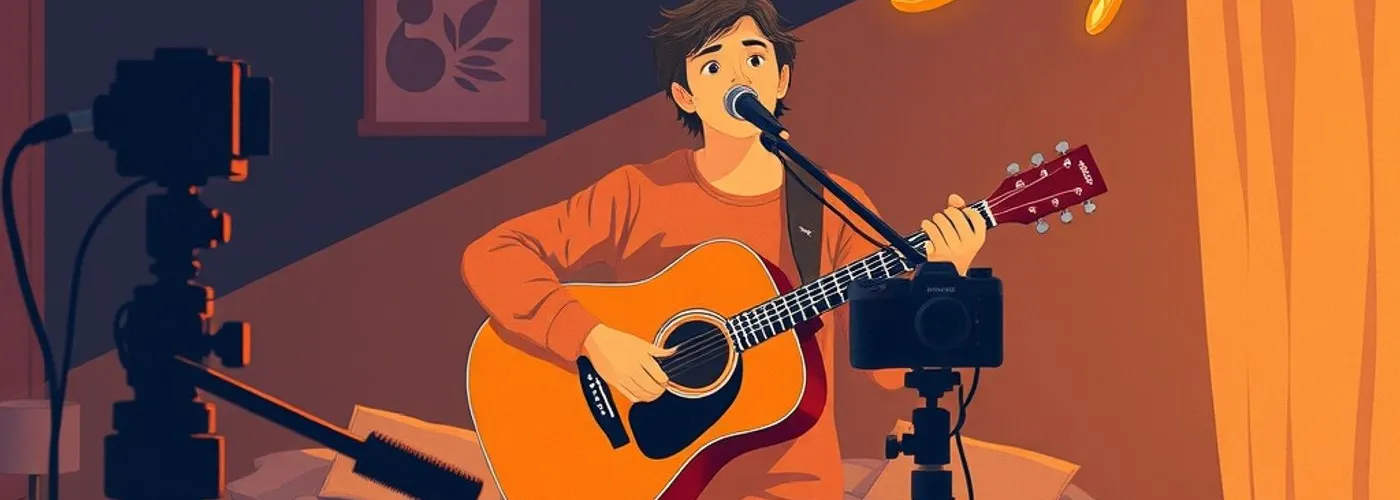
You record yourself singing a well-known song on acoustic guitar and upload it. The next morning there is a copyright notice on the video. Your first thought is to delete it. Then you notice the same screen says “Sharing ad earnings”.
That notice is the good outcome. On a regular YouTube video, a cover only earns money for the uploader once the owner of the song claims it and chooses to monetize. A cover nobody has claimed is the one that cannot earn, unless you have written permission.
The person holding that switch is the songwriter’s side, through their music publisher. The cover rules do not mention the record label that released the original at all.
The claim comes from the song’s owner
The Help Center article on cover videos opens with the condition.
Creators participating in the YouTube Partner Program can share revenue from eligible cover song videos on YouTube, once music publisher owners claim those videos. You'll be paid revenue for these videos on a pro rata basis.
Further down, the same page narrows it: the notice appears for videos claimed through Content ID “by the music publisher or publishers who own the copyright in the musical composition performed.” The composition is the song itself, the melody and lyrics. A publisher usually administers those rights for the songwriter.
My reading of why the label is absent: if you sang and played it yourself, the original recording is not in your video, so its owner has nothing for Content ID to match.
| What is in your video | Who owns it | Effect on revenue sharing |
|---|---|---|
| The song (melody, lyrics) | Songwriter, usually through a music publisher | Their claim, set to monetize, is what opens sharing |
| Your own singing and playing | You | Your share, once sharing is open |
| A commercial recording: instrumental, karaoke track, the artist’s live concert | The owner of that recording | Makes the video ineligible |
The last row comes from the general monetization article. Under “It contains my original recording of a cover song”, it says the use of any commercial sound recording “such as an instrumental, karaoke recording, or live concert performance by the artist is not eligible for monetization.” The page gives no reason. My reading: cover sharing is a two-party arrangement between the song’s owner and the uploader, and a commercial backing track brings in a third owner it has no slot for. A backing track you played yourself is not a commercial sound recording, so this exclusion should not touch it.
A Korea footnote, because it shows why the English page matters. The Korean edition of this article translates “music publisher” as 음반 제작자 (and later 음반 제작사), a term that in Korean copyright law means the producer of a sound recording. The page carries a notice that it may contain AI translation. If you read YouTube’s help in another language, check the English wording on anything that names a rights holder.
A claim does not always mean money
Content ID gives the claimant three choices. Per the Help Center, a claim “Blocks a video from being viewed”, “Monetizes the video by running ads against it and sometimes sharing revenue with the uploader”, or “Tracks the video’s viewership statistics”. Any of these can differ by country, so the same cover can earn in one place and be blocked in another.
So two people covering the same song are in the same position: what happens depends on the setting the publisher chose. If the publisher does not use Content ID for that song at all, nothing gets claimed automatically, and the Help Center is explicit.
If the song has not been claimed, you cannot monetize your video. Explicit written permission from the rights owner of the song should be given beforehand.
The usual workarounds do not change this. The copyright myths page lists “cover song” among new works that “usually still” need the owner’s permission, and says disclaimers such as “I do not own” or “no infringement intended” do not give you rights.
Your channel also has to be in the YouTube Partner Program. The eligibility page sets two routes in, both starting from 1,000 subscribers.
Watch hours from Shorts views in the Shorts Feed do not count toward the 4,000. The same page says YPP terms are being updated from 1 February 2027 and that creators need to accept them in YouTube Studio by 31 January 2027 to keep full monetization.
What you get: “pro rata”, and no number
The Help Center says you are paid “on a pro rata basis”. That is all. None of the pages I checked gives the split between the publisher and the uploader, or how the money divides when several publishers own shares of one song. Percentages that circulate in forums are not from any YouTube page I checked. The only reliable figure is the one in your own revenue reports in YouTube Studio.
When: after the claim, and after you switch it on
The money does not start by itself. The Help Center sets out three steps.
- Look for the notice A "Sharing ad earnings" notice on the video means it is eligible It also appears on the Video Copyright Info page and in the claim email. Older uploads can qualify too: "both new uploads and prior uploads may be eligible"
- Turn on monetization for your account In the Monetization tab of your account settings, if you have not already The YPP page adds that each monetization feature, such as Watch Page Ads, needs its module terms accepted
- Turn it on for the video Find the cover on your Content page and switch monetization to On Or open the video's monetization details and switch from Off to On
The cover article does not say whether revenue from the period before you switched it on is paid. I could not confirm it either way.
The vertical cover trap
The cover article never mentions Shorts. That matters more than it used to.
For standard channels, since 15 October 2024, a new square or vertical video up to three minutes long is classified as a Short (Official Artist Channels have a later date, 8 December 2025). And the three-minute Shorts article says any Short over one minute “with an active copyright claim of any type, including manual claims, will be blocked globally on YouTube.” A later line on the same page repeats it: “regardless of the policy”.
Put that next to cover sharing. The publisher’s monetize claim is what pays you on a horizontal cover. On a two-minute vertical cover, the same claim blocks the video everywhere. The article adds that there is no penalty to your channel, and the video becomes viewable again if the claim is resolved. In practice, for a cover, that would mean the publisher’s claim going away, which is the thing that was supposed to pay you.
The fix the Help Center itself offers: if you do not want a video classified as a Short, use a wider aspect ratio such as 16:9.
The global block is for Shorts over one minute. For shorter ones the article says “there are no changes in limitations.” They are also paid differently from regular videos. Shorts Feed ad revenue goes into a pool, a share is set aside for music licensing based on how many tracks a Short uses (with one track, half), the pool is divided by each creator’s share of engaged views in each country, and the creator keeps 45% of their allocation. To share in it at all you have to accept the Shorts Monetization Module (views from before you accept are not eligible), and from 1 February 2027 a channel needs 10 million qualified Shorts views in the last 90 days to earn for a given month. The policy defines music as content “made available or claimed by YouTube’s music industry partners”. By that wording a publisher-claimed cover would seem to count as music, but the page never mentions covers, and I could not confirm how one is counted. If you read Korean, the site’s guide to music in YouTube videos covers the Shorts side in more detail.
What this says about covers
A cover channel’s income depends on a setting the song’s publisher chose in advance, usually without anyone looking at your video. Same singer, same effort, same view count: one song’s publisher monetizes and shares, another tracks, another blocks, another does not use Content ID at all. Picking songs is a business decision as much as a musical one.
If the covers do well and you start thinking about the artist side of YouTube, the next step is a channel YouTube recognizes as yours. That is a separate process, and it runs through your label or distributor (or a Music Service Partner): see how to get a YouTube Official Artist Channel. Releasing a cover on streaming services is also a separate permission from anything on this page.
If you want to see the claim, block and revenue outcome for a cover in a regular video, a short Short and a longer one side by side, the YouTube music check lays them out with the Help Center line behind each.
Checklist before you upload a cover
- No commercial recording in the video: no original instrumental, karaoke track, or concert audio
- Your channel is in the YouTube Partner Program
- Between one and three minutes? Shoot or export it horizontal (16:9), or it becomes a Short that a claim will block
- The day after upload, open Video Copyright Info: is it “Sharing ad earnings”, or blocked, or tracked?
- No claim at all? Then it cannot be monetized without the song owner’s written permission
- Monetization switched On for the account and for this video
- Your earnings checked in YouTube Studio, not estimated from forum percentages
The first thing to look at is the copyright notice the morning after you upload. It tells you whether that video will earn anything at all.